

Prerequisites
Before you begin, ensure you have:- Cerebras API Key - Get a free API key here.
- VS Code - Download and install from code.visualstudio.com. Gemma 4 31B support requires VS Code 1.120 or later and Cerebras extension 0.1.21 or later.
- GitHub account that is not enrolled in the GitHub Copilot Enterprise plan.
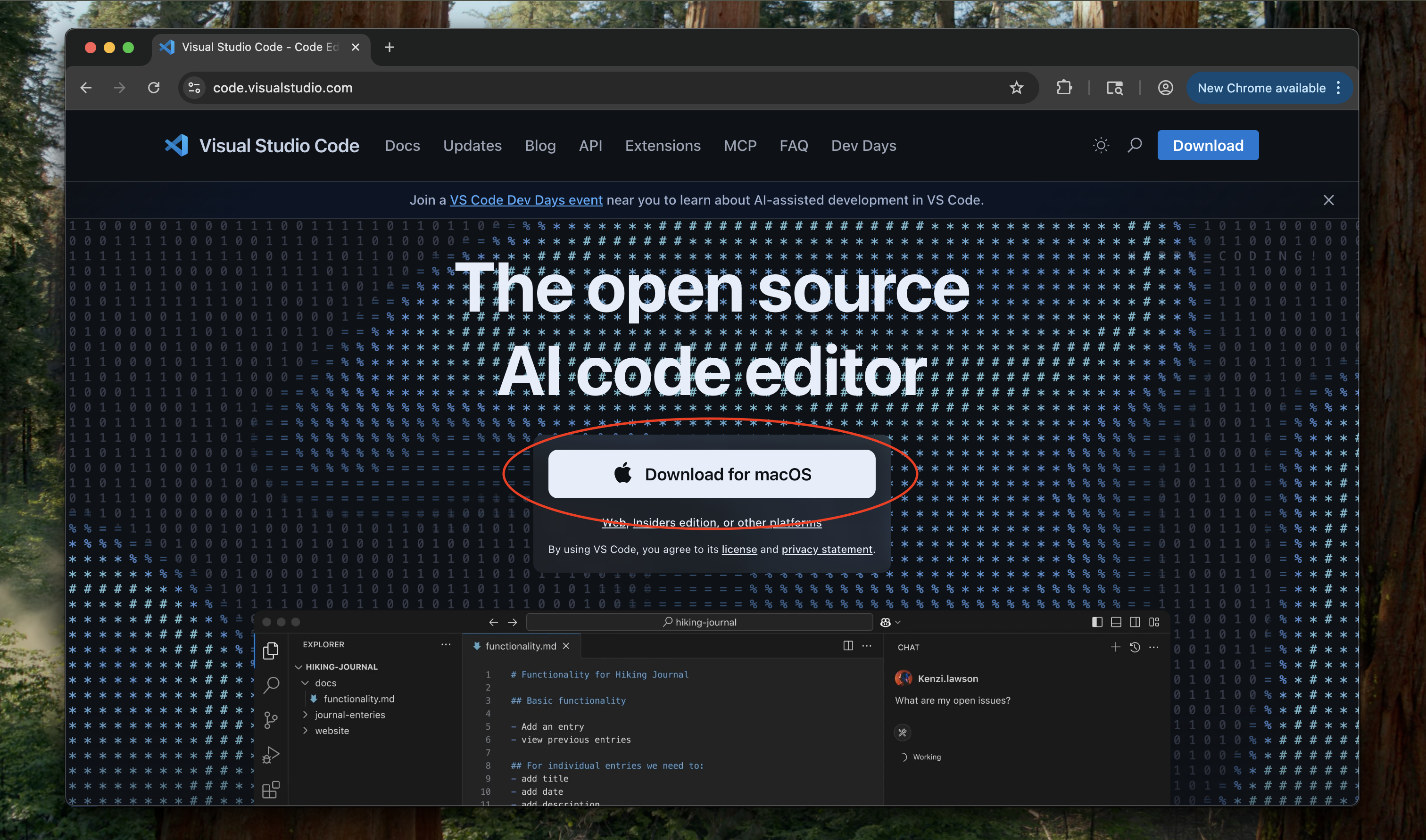
Configure VS Code
1
Sign up for a free GitHub Copilot account
Follow the instructions in VS Code to sign up for a free GitHub Copilot account. You can also click on the Extensions tab on the left side and search for Copilot.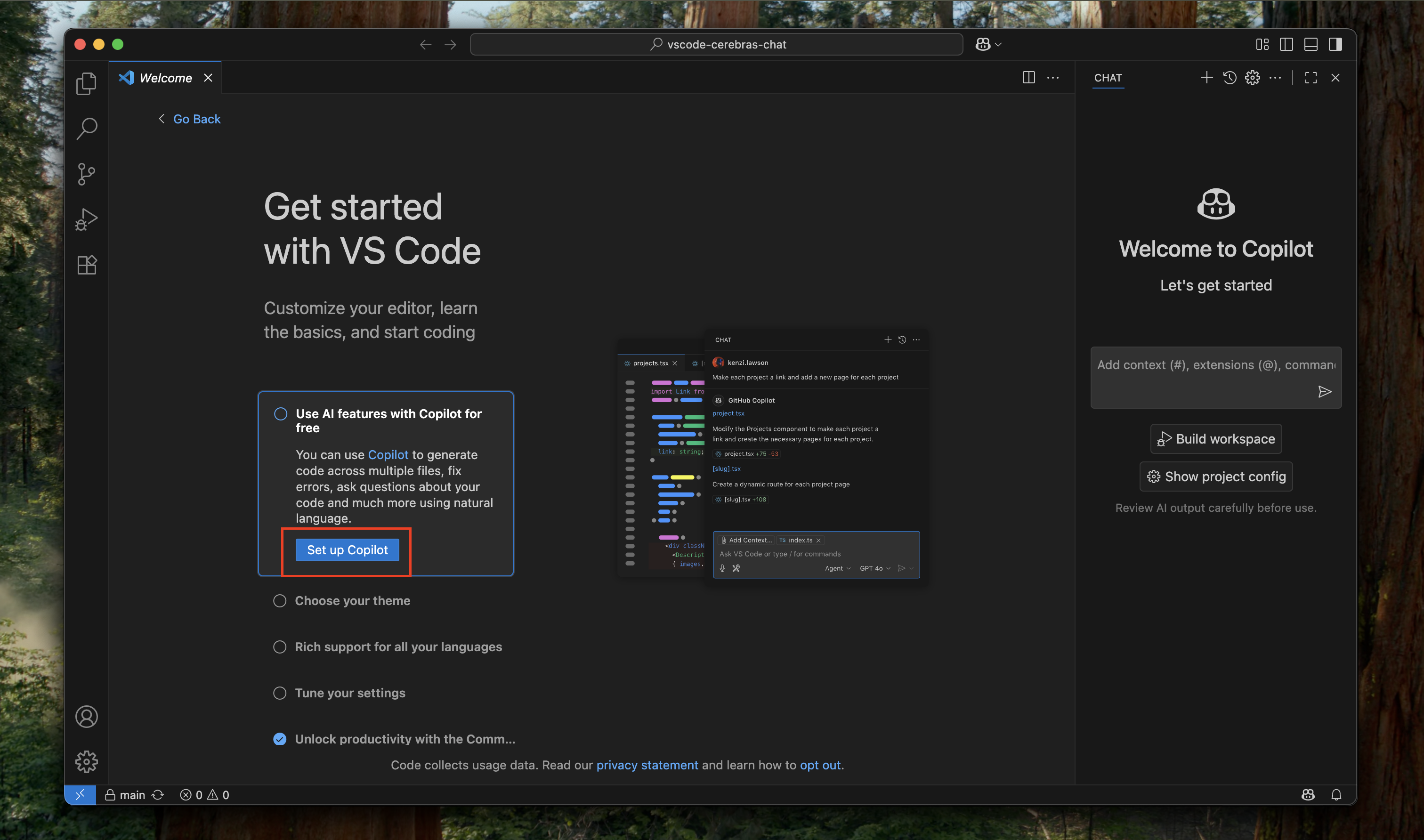
2
Install the Cerebras extension
Click on the Extensions tab on the left side. Search for “Cerebras” and click Install.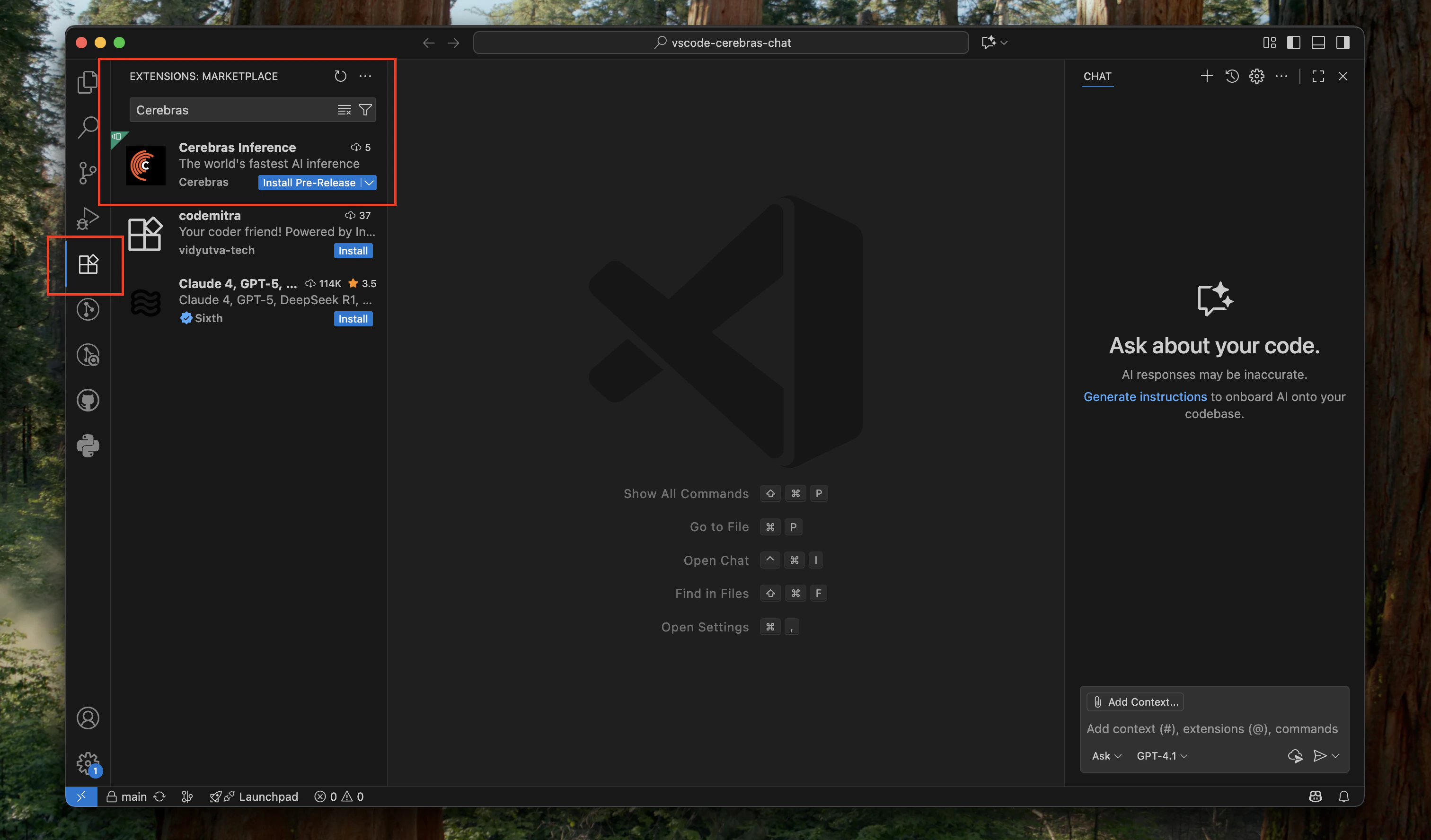
3
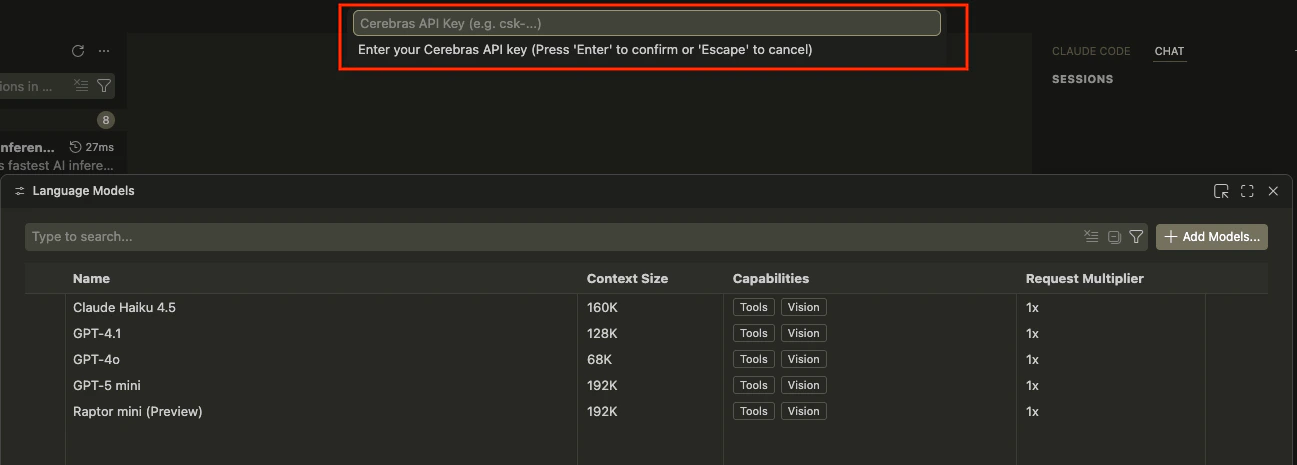
Configure API key
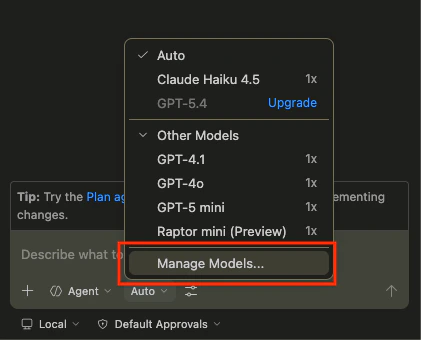
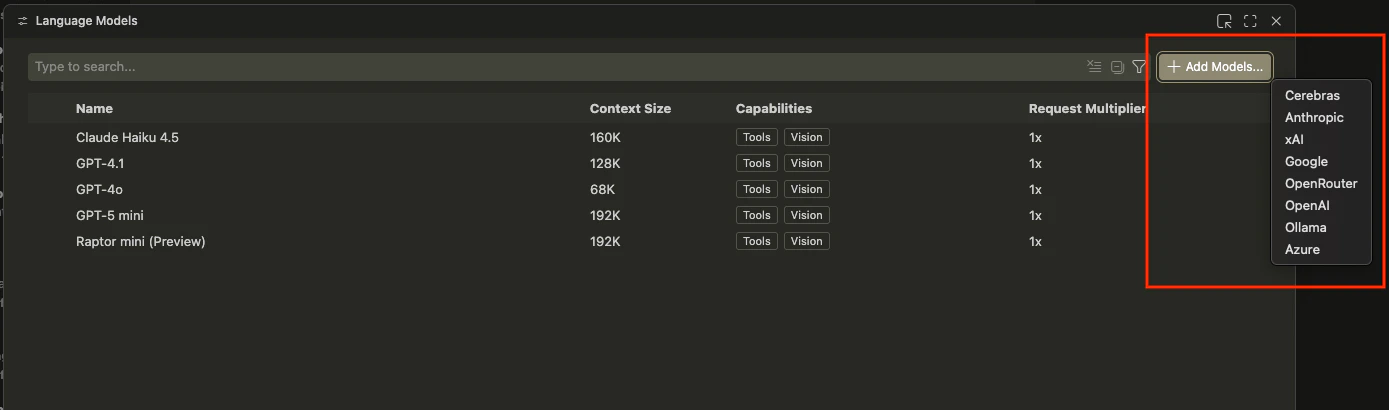
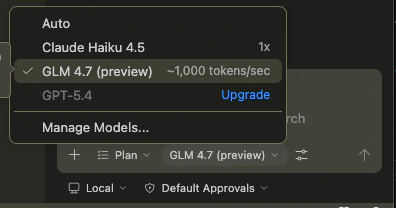
At the bottom of the chat window, click on the model selection list (this is set to Auto by default), then click Other Models.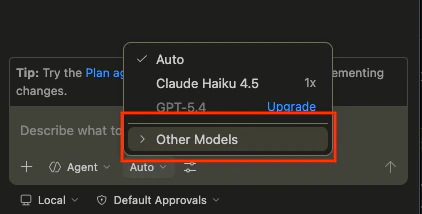
4
Configure Models
Select which models to enable by clicking the eye icon next to each one.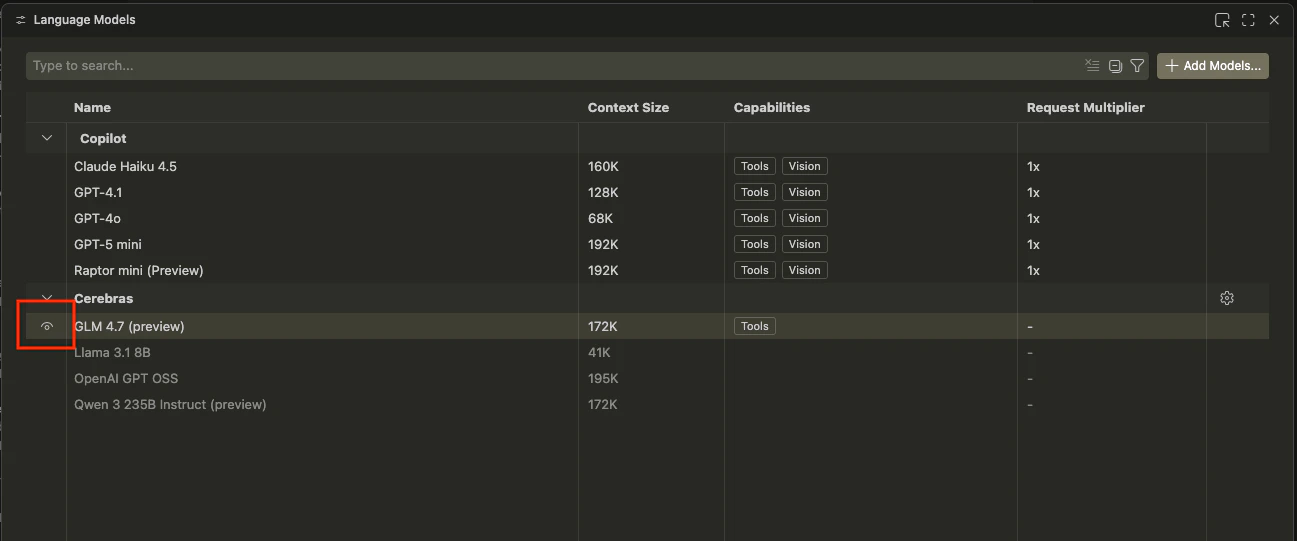
5
Select a model and start coding!
Available Models
The Cerebras VS Code extension supports these models:Gemma 4 31B requires Cerebras extension 0.1.21 or later. Free-tier requests support up to 65K input tokens and 32K output tokens. Paid requests support up to 131K input tokens and 40K output tokens.